PixlPilot features
Built around the details in a design.
- ✓ Upscaling for production density
- ✓ Background removal for artwork
- ✓ Print-ready detail and contours
- ✓ API access for your own product
One model that upscales, removes backgrounds, and fixes ambiguous files at production quality.
PixlPilot features
The model
The output is a file, never a list of problems for someone else to solve. Built for the uploads print shops actually receive.
View a preflight previewThe model
Not stock photography and not clean vector exports. PixlPilot was trained in-house on real customer artwork: phone screenshots, re-saved JPEGs, transparent PNGs at the wrong size, logos pulled off a website. It decides what each file needs, applies the fix, and hands your production queue something that prints.
The output is a file, never a list of problems for someone else to solve.
Upscaling built for garment print, not for screen previews.
Low-res PNGs, messy art, odd sizes: almost anything a customer sends.
Files stop bouncing between your team and the customer.
Effective resolution is estimated, then structure is recovered, not smoothed, up to production density.
Trained for artwork boundaries: hard edges, thin strokes and anti-aliased haloes, not photographic subjects.
Strokes below the printable threshold are carried up to weights that survive the transfer.
Where a file is genuinely undecidable, the model resolves it explicitly instead of failing or inventing.
In the browser
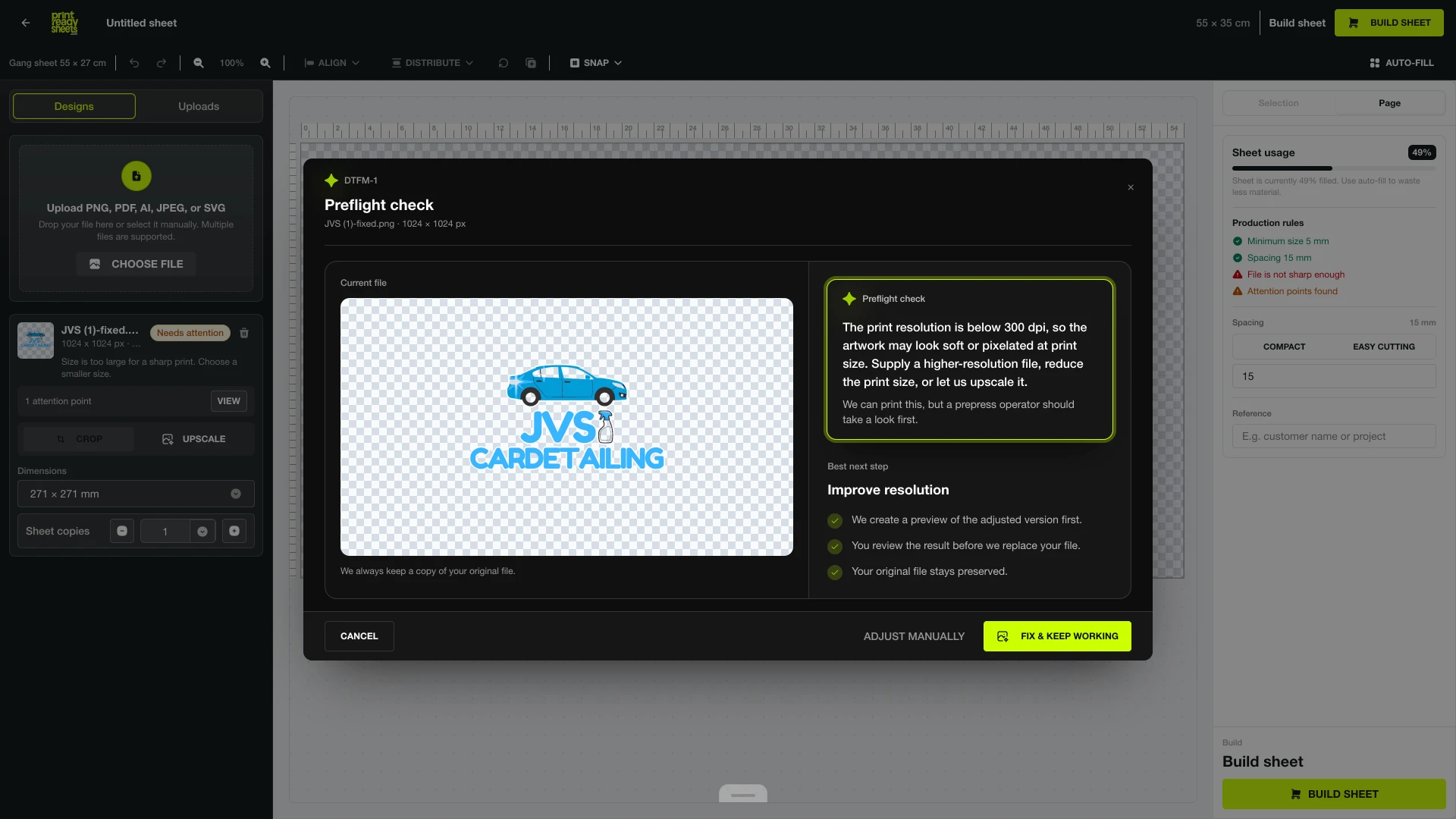
The model reports what it found and what it changed. The adjusted version is a preview first. Your original file is never overwritten.
Where it runs
Artists
Bring the file you have (a re-saved export, a screenshot, a logo pulled off a site) and get a version that holds up at production size.
Try in browser →E-commerce
Flat colour, hard boundaries and semi-transparent fills come back intact, which is exactly where general photo matting breaks down.
Try in browser →Developers
One endpoint, one model. Send a file, receive a production-ready result and the decisions the model made about it.
Join the waitlist →Resolution, stroke weight and edge behaviour are treated as print constraints, not as screen previews.
Talk to the lab →Research
Model note
2026-08
Print artwork is not a photograph: our upscaler reconstructs the alpha channel, the cut line of the print, natively, where general-purpose super-resolution returns flat RGB and the silhouette is merely stretched.
Method
2026-08
Every enhancement is inspected by an independent instrument that detects where fine detail may have closed up, and its count tracks real damage at r = 0.98.
Evaluation
2026
Segmentation models are trained on people and products. Artwork keying is a different problem (flat colour fields, deliberate holes, ink the same colour as the backdrop), and ours is built for exactly that, with the customer holding the final say.
Early access
The browser app runs the same weights we are preparing to expose directly. Early access teams get endpoint access, the model's decision output alongside each result, and a direct line to the people training it.
API waitlist
Join the early access list
We onboard in small groups as capacity allows. Tell us what you plan to run through it.
Limited early access · 2026
Contact
Research questions, evaluation on your own files, or an integration you are planning: send it over. We answer the same day.